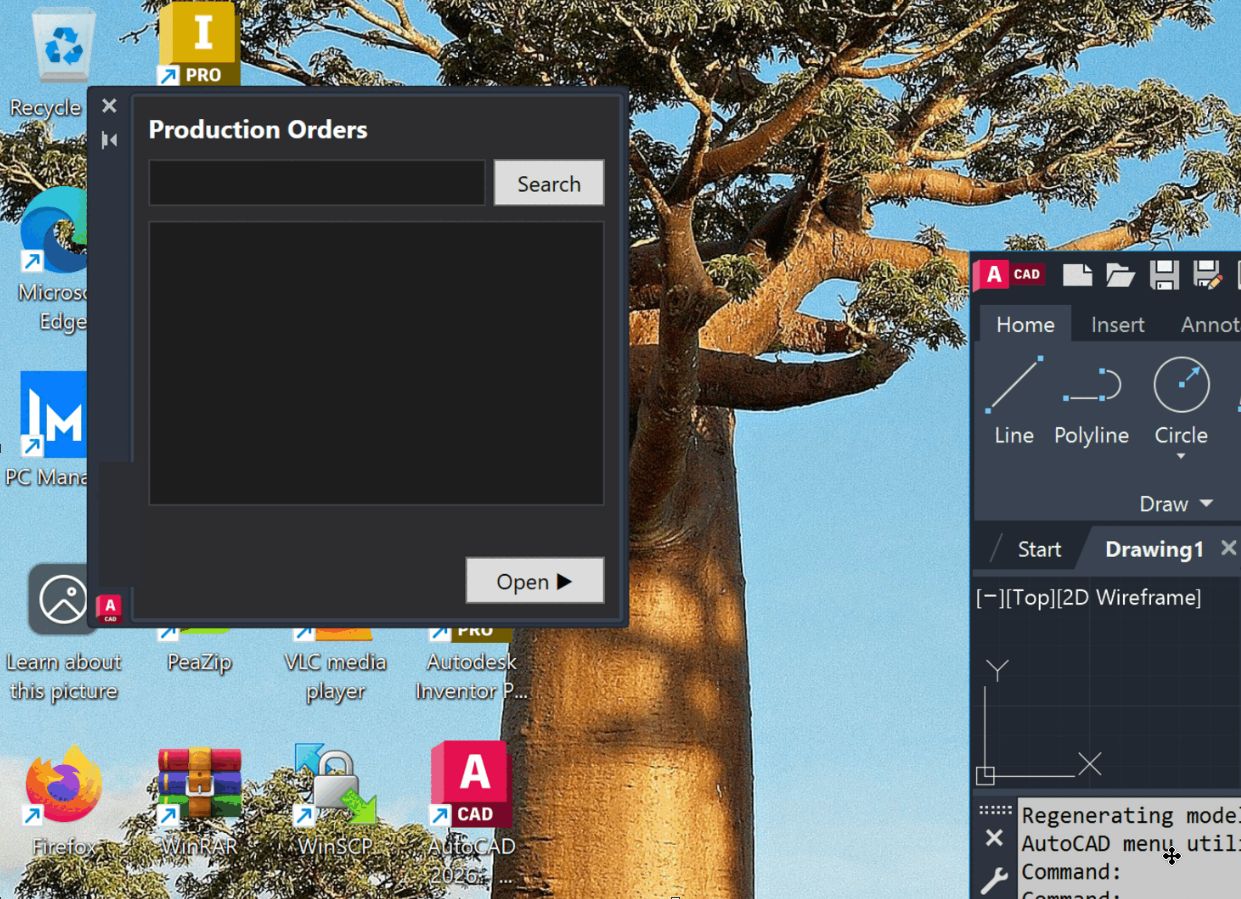
The Production Orders palette, docked inside AutoCAD — search a production order, pick the drawing, and open it without leaving the canvas.
A drafter should not have to hunt for a drawing on a network share. Type the order code inside AutoCAD and the plugin opens the right drawing for you — resolved live against the systems that already know where it lives.
The Production Orders palette, docked inside AutoCAD — search a production order, pick the drawing, and open it without leaving the canvas.
This is an AutoCAD 2023 plugin that lets a drafter open the correct production drawing straight from AutoCAD with a single command, instead of hunting for files by hand across network shares. You enter a production-order or document code — or pick one from a panel — and the plugin resolves it against a service backed by the manufacturing client’s ERP and document-management systems, then opens the matching drawing automatically. It replaces a brittle, legacy scripting workflow with something a drafter can trust.
The design is multi-tier:
It offers single-command drawing open, a WPF palette with multi-step navigation, OAuth2 bearer authentication, tolerant parsing that copes with different response shapes and both network and local paths, and per-run timestamped logging that never lets a logging error break the command. The stack is VB.NET on .NET Framework 4.8 with WPF, using the AutoCAD 2023 managed .NET API, Microsoft’s identity library for authentication, and Newtonsoft.Json; the companion proxy and simulator are .NET services on cloud app hosting, built and tested through a CI pipeline with a scripted test harness. It reached a working proof-of-concept, was then rebuilt to add the palette, single-sign-on, and the proxy chain, and has been verified end-to-end on a Windows 11 machine with AutoCAD 2023 — demo-ready, with a production rollout planned.
The verification and documentation pipeline is fully automated, end to end. Every incremental update runs the full end-to-end test suite and then regenerates the documentation from the result — the architecture description, the API documentation, and the test evidence itself, screenshots included — all indexed and kept in sync automatically. There is no manual write-up step: the test run produces its own proof, and the docs are never stale.